The Android Dilemma: Why iOS Screen Time Apps Fall Short
If you switched from iPhone to Android or follow productivity creators on social media, you have likely seen Opal and One Sec everywhere. Both apps gained popularity on iOS because Apple provides deep native APIs for screen time restrictions.
However, when ported to Android, two major pain points emerge:
1. The Whole-App Lockout Flaw
Both Opal and One Sec treat Instagram, YouTube, and Facebook as single monoliths. If you open Instagram to answer an urgent client DM or check a group project update, One Sec forces a breathing exercise and Opal blocks the entire app. This creates friction against things you actually need to do.
2. Heavy Battery Draining VPNs
On Android, many blockers simulate Apple-style restrictions by creating a local loopback VPN. This constantly filters device network traffic, resulting in higher battery drain, phone warmth, and occasional connection delays.
How ScrollDetox Compares to Opal and One Sec
Instead of locking your phone like a brick or interrupting essential messaging, ScrollDetox takes a surgical approach. It leaves 90% of your apps working normally, and intercepts only the infinite vertical dopamine swipe feeds.
| Feature | Opal | One Sec | ScrollDetox |
|---|---|---|---|
| Selective Reels & Shorts Interception | No (Whole app) | No (Whole app) | Yes (Surgical) |
| Keep DMs and Tutorials Working | No | Partial (After delay) | Yes (Instant access) |
| 1-Pass Mode for Shared Links | No | No | Yes (Built-in) |
| Privacy Architecture | Cloud Account Required | Local Settings | Local On-Device Engine |
| Battery & System Impact | Medium to High | Low | Negligible (~6 MB native) |
| Pricing | $99.99 / year | $19.99 / year | Free on Google Play |
Why Surgical Blocking is More Sustainable
Psychological research into habit loops shows that aggressive, all-or-nothing blockers often lead to rebound bingeing. When you completely ban an app:
- You eventually disable the blocker: You have an urgent reason to open Instagram (a friend's message, an event RSVP), so you turn off the blocker completely. Once unlocked, the dopamine feed traps you again.
- You miss important educational tutorials: You need YouTube for coding tutorials, exam lectures, or gym routines, but traditional blockers lock the whole video library.
ScrollDetox eliminates this cycle. Because you never feel cut off from your social circle or study tools, you have zero reason to uninstall or bypass the protection.
How to Set Up ScrollDetox on Your Android Device
Install from Google Play Store
Download ScrollDetox for free. The app is ultra-lightweight (~6 MB) and compatible with all modern Android phones.
Enable Accessibility Service
Follow the guided prompt to toggle ScrollDetox in Android Settings > Accessibility. This allows the app to detect fullscreen Reels and Shorts containers on your screen with zero network overhead.
Choose Your Protection Mode
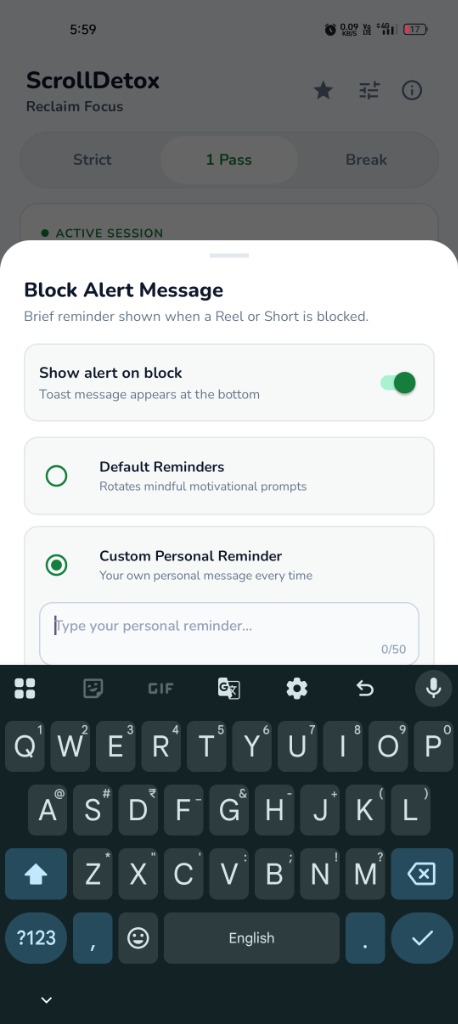
Select Strict Mode to exit Reels and Shorts instantly, or 1-Pass Mode to allow watching single shared links before automatic exit kicks in.